Submitted by Dale on July 2, 2008 - 2:31pm
Derek Miller at Inside Home Recording has a great video piece on how he produces his wife's podcast: IHR TV #3 - Podcast Audio Production. It's specific to the equipment he uses, not a general tutorial, but this provides a focus and conciseness I like. As long as you can extrapolate how to mix and match you'll be able to adapt the technique just fine.
Submitted by Dale on July 2, 2008 - 12:23pm
Here's an event budding podcasters might be interested in:

What: Net Tuesday4 - Podcasting for Social Change
When: Tuesday, July 8, 2008 5:30 PM!
Where: WorkSpace
400, 21 Water St.
Vancouver BC
V6B 1A1
More: Meetup, Facebook Event
Sponsors: Communicopia, Social Signal, and WorkSpace
Topic: Ways Non-profits/Social Change orgs can use podcasts to spread their message
Three ways:
1) publishing conferences and repurposing stuff you are already making
2) event and campaign crowd coverage (including micro podcasting i.e. utterz)
3) special reports interviews etc.
To make it easy, we’ll cover:
1) planning
2) producing tips (with toys to demo)
3) publishing/promoting
Panel:
dave olson - moderator/podcaster
john bollwitt - podcaster and audio engineer
rob cottingham - social change technologist
roland tanglao - mobile pundit and tech-evangelist
Cross-posted at Digital Doodles
iPod Graphic by ~deleket
Submitted by Dale on July 1, 2008 - 3:29pm
Greater Vancouver now boasts 2 Drupal groups!
Thanks to the efforts of Katy at SeascapeWebDesign.com there's a Surrey Drupal Users Group. Greater Vancouver encompasses 2900 square kilometers (1100 square miles) and more than 21 jurisdictions, with the namesake, City of Vancouver, being the largest and on the western edge. It's not only awesome seeing a second option for people who can't get to downtown Vancouver, but seeing interest in Drupal grow to supporting 2 groups.
I was at the inaugural meeting but forgot my camera. Fortunately Ryan Demsey Dempsey had his cell camera and our server obliged us with a group shot:
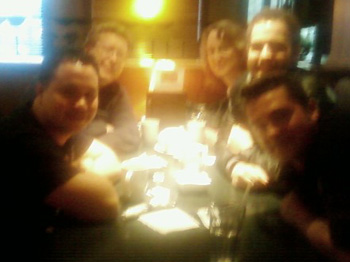
Surrey Drupal User Group meetings are currently being posted on G.D.O. Vancouver, along with the Vancouver meetings. Next meeting is July 10, details here: http://groups.drupal.org/node/12795.
Submitted by Dale on June 30, 2008 - 2:23pm
 Drupal Camp Vancouver 2008 (DCV08) was a month ago and I haven't posted a wrap up. It's almost moot at this point, but it seems weird to have blog posts saying DCV08 is coming and have no wrap up post. So instead of moot, let's say better late than never.
The stand out session for me was Greg Dunlap's deployment module session. He's making headway on a problem the community really needs to solve. Kat Bailey's jQuery session was also a winner.
Biggest WTF moment was one of our speakers flying in from Lethbridge, Alberta getting delayed by snow! It was May, damn it!
Though I've been involved in the organizing of many conferences this was the first I've held a primary role. The work isn't hard but the details sure eat up a LOT of time. When Dave, Ariane and I kicked this off with the blessing of the local community and a short organizing period I didn't realize how much responsibility would fall on our shoulders. There was simply no time to build out a committee and spread the responsibility (Thank goodness I didn't have an active contract at the onset). It was phenomenally gratifying when the call for volunteers, sponsors and speakers was answered so generously.
A very big personal thank you to everyone who had anything to do with making DCV08 happen.
Submitted by Dale on April 21, 2008 - 8:24pm
Submitted by Dale on April 15, 2008 - 10:48pm
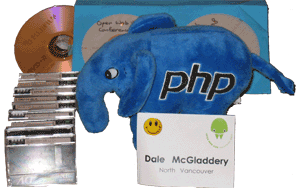 The Open Web Vancouver Conference, sponsored by the Vancouver PHP User Association, has wrapped up. And we have it on tape! And hard drive. And SD Card. And burned to DVD.
A team of volunteers (volunteers and organizers were designated with happy faces on their badges ... We few, we happy few, we band of brothers) lead by yours truly recorded the conference and we now have around 32 hours of audio and video to process! Barring unforeseen circumstances they'll be coming to a podcast near you very soon.
The only downside to the conference was getting up so early in the morning to get there! I've never exactly been a morning person, and working from home has taken me out of the early morning habit. It's not that late and my brain is shutting down. I've been sitting here for the last thirty or minutes trying to put together some coherent thoughts about the conference and failing miserably. So I'm going to point you to the much superior live blogging of the keynotes from Vancouver's Miss 604, Rebecca Bolwitt, in her mild mannered work disguise:
Added conference bonus, I got to bring home a PHP elephant mascot. Not that I need another plush toy, but how could I resist?!
Submitted by Dale on April 8, 2008 - 9:26pm
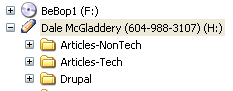 Here's a cool idea from Life Hacker to custom label your flash drive with a custom label and graphic icon. I have flash drive for articles so I can move easily between my desktop and notebook. I choose a pencil cause, like, it contains my writing in progress.
Instructions at: Label a Flash Drive with Your Name and Number
Submitted by Dale on April 2, 2008 - 11:33pm
Submitted by Dale on March 26, 2008 - 11:39pm
A little while ago my Windows computer became unusable and it was time to reformat and reinstall. The sordid tale is even documented: Hi Ho, Oh No, Installing I Must Go.
Like most people, I'd collected a variety of programs that were used seldom or not at all. Starting over with a clean desktop, it was fascinating to watch which programs I installed because of immediate need. Here are the first fourteen.
Submitted by Dale on March 24, 2008 - 4:43pm
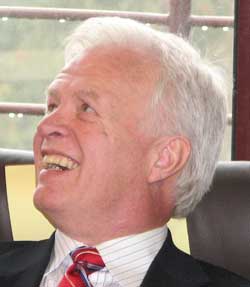 My first job in my chosen career was technologist in the Technical Support Workshop of the Computer Services department at Simon Fraser University. I worked there for almost five years in the early 80s. It was a great starting job, a great place to work, and I made some life-long friends. And there's even a few people up there who remember me, though now there's one less.
Lionel Tolan ran the Operations section when I started at SFU. He was extremely personable and boy could he tell a story. And he had ideas. He was one of a handful of people there that made a big impression on me, though at the time I wasn't quite sure what to make of him. Little did I know then I was talking to a future mover and shaker in the SFU community. I moved on to a better job and Lionel ultimately became Director of University Computing Services. After 38 years at SFU Lionel decided to retire.
It was with pleasure I was able to attend Lionel's farewell reception last Wednesday. It was clear from the testimonials he's extremely well respected by both the people working for him and the academic community. An incredible feat, especially if you know any of the history of computing at SFU. And he still has the same spark that impressed me 25 years ago.
Once again, all the best Lionel! I'm sure this isn't so much retirement as a career change. Best of luck in what ever you do next.
Photo by Grant Dimock
Pages
 The team has been working hard on
 We've been mentioning the
